About the Arcade
- Self-designed and self-built wooden cabinet
- Fancy LED lighting with several addressable LED strips and WLED
- Completely Alien-themed, incl. self-designed decals
- Old gaming PC with a GTX 1070, an older Intel CPU and 16 GB of RAM
- Classic arcade buttons and joystick so I can play “normal” arcade titles too
- 2x Retroshooter RS Reaper light guns incl. foot pedal and force feedback for light gun games
- 2 Xbox-style gamepads for racing games and so on
- Launchbox incl. BigBox as the management software for the games
Although it was mainly built for light guns, I of course also wanted to be able to play other classic retro games.
Project Scope
Cabinet
This time I wanted to approach the project as professionally as possible and, if I could help it, not drive to the hardware store, buy wood and then somehow botch away at it like I usually do.
So for once I decided to sit down at the computer and try my hand at CAD, to draw a drawing of the arcade that is as true to scale as possible BEFORE I start buying wood and having it cut. Let me put it this way: for once that was a fairly smart idea, and at the same time I finally learned that 3D CAD really isn’t rocket science for simpler shapes.
I remembered that you can use Autodesk Fusion for free for private purposes, so I installed it and watched a few tutorials.
Thanks to a video by Retro Ralph (a YouTuber from the US whom I watch every now and then) I already had a fairly clear idea of what my arcade should look like. As I said, the focus was supposed to be on light gun games. You can find the video I mean, which shows a cabinet very similar to the one I ended up building, here: Retro Ralph: Ultimate Lightgun Arcade by Xtreme Gaming Cabinets!
Anyway, after fiddling around in Fusion for a bit, something usable did come out of it eventually.
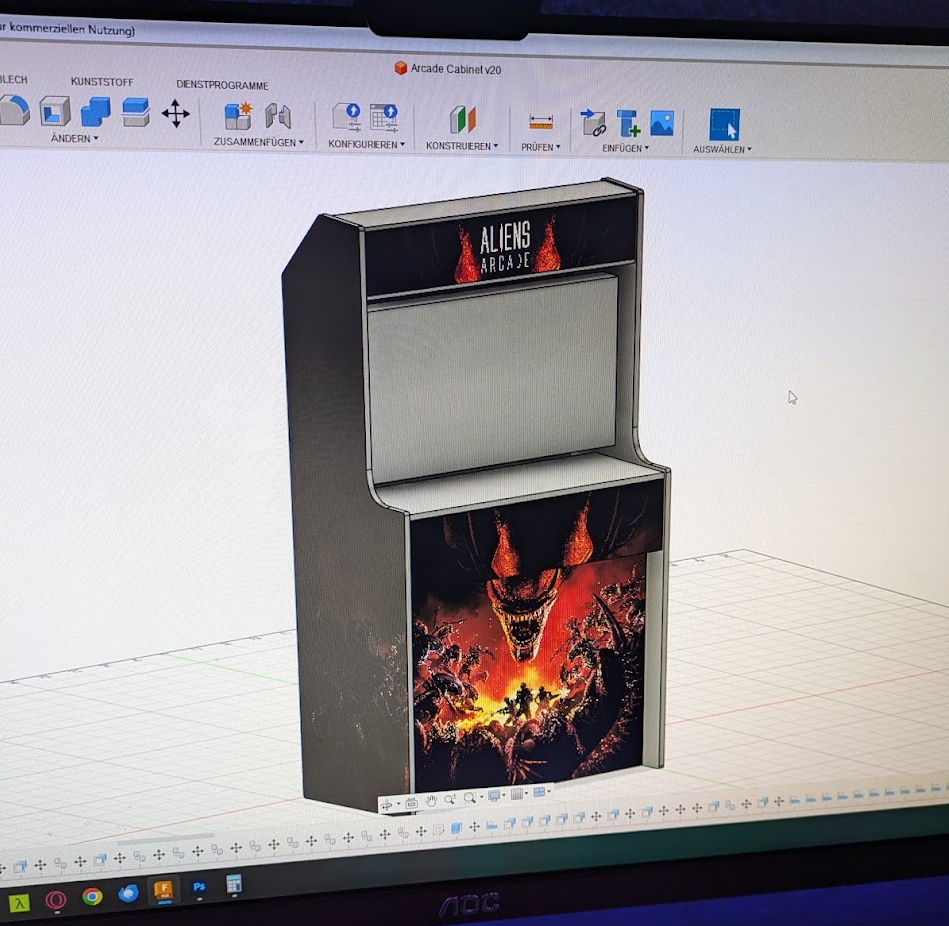
The finished 3D design in Autodesk Fusion (even with decals already :D)
I basically “designed” all the wooden parts, inside and out, around what was available at my local hardware store and then had most of it cut there as well. That’s also why I went for this relatively simple construction.
The material was mainly classic 19 mm MDF (for the side panels as well as for the area where the buttons and joystick would later go). For the other panels I went with 12 mm chipboard, which I definitely wouldn’t do that way again today, because the material really is very thin.
The side panels were a problem for me. Why? Because I didn’t have any decent tools at home to cut 19 mm MDF properly, and above all to get the curve into it. You just don’t get far with a cheapo jigsaw. Good thing I’m fairly well connected at the pinball museum, where plenty of other lunatics like me are running around, so thanks to Markus from the pinball museum I was able to cut the parts properly (with his professional help).
I then put everything together bit by bit (unfortunately I no longer have pictures of the individual steps, but you can see from the pictures how I did it. Basically I screwed and glued squared timber onto the side panels, and the other boards were then screwed onto that.) and it really did fit, and it looked pretty damn cool too. I was thrilled. You have to imagine: this was the first time I had ever done something like this. So 3D design and sawing and then assembling and so on. It was a truly great feeling to create something like this with my own hands “out of nothing”. Especially as a computer scientist, where you mostly just vegetate in front of a screen.
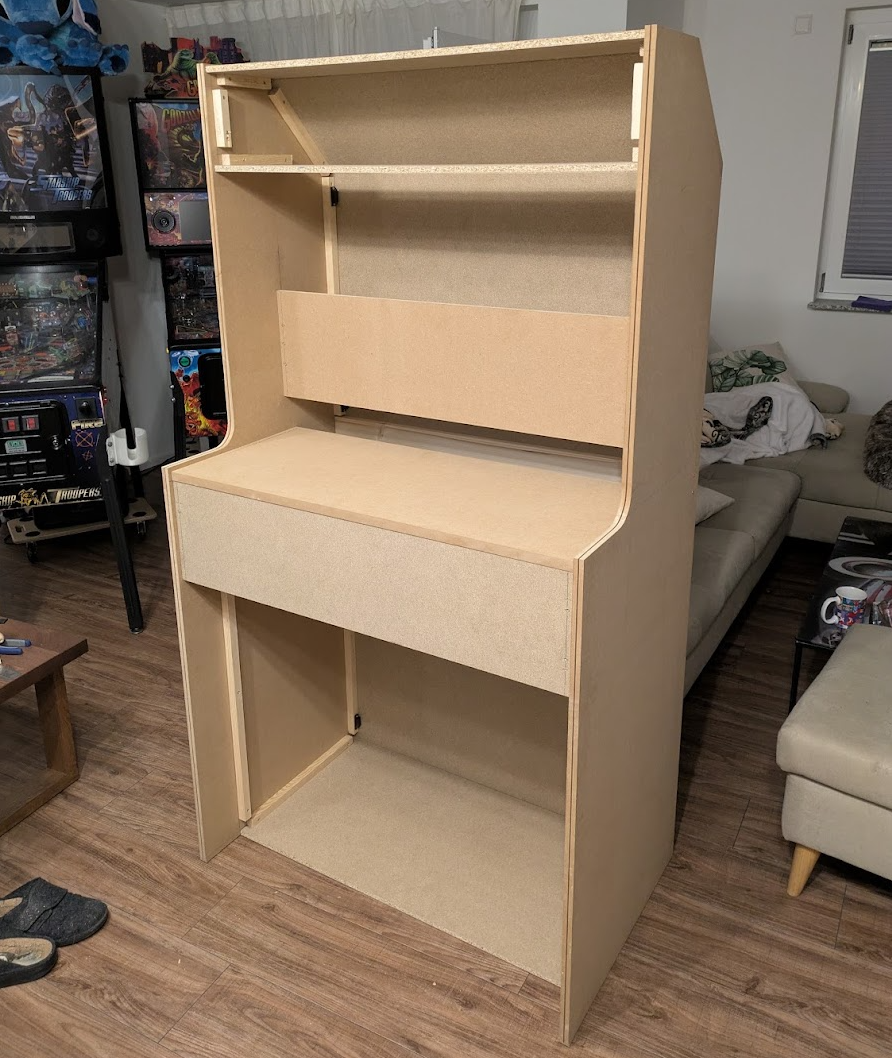
The assembled wooden construction
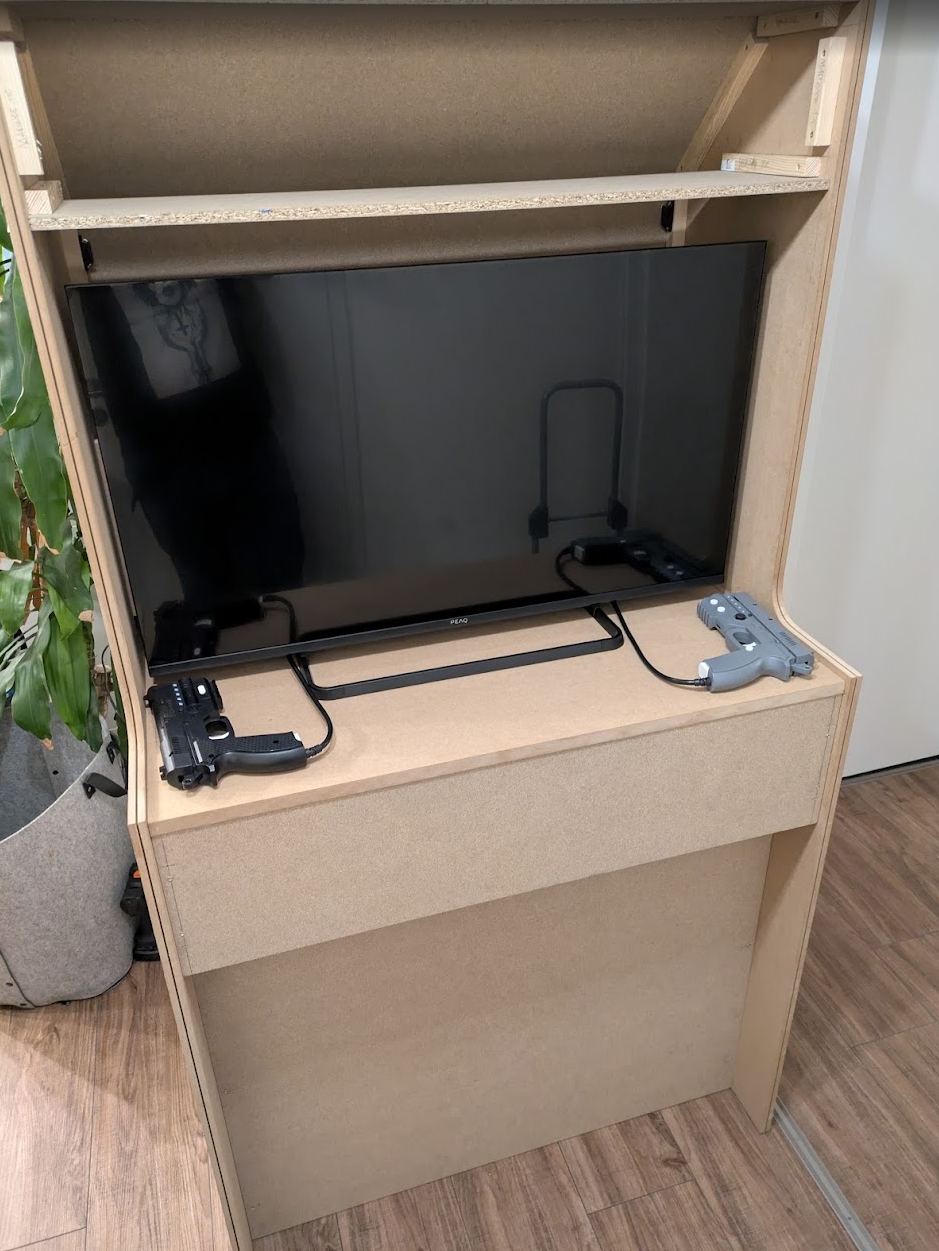
The assembled wooden construction incl. a test of whether the first hardware fits
The decals with the aliens I of course got from the internet. It’s not supposed to become a commercial product, so that’s okay ;). I had the files upscaled a bit with AI because the resolution was crap, and then adjusted them properly in Photoshop so I could have them printed at Salierdruck. Another tip here from good old Markus from the pinball museum: just have things printed at the maximum width, then it gets cheaper overall and you can cram the free space full of other stuff (e.g. decals for Markus’ current arcade project :D)
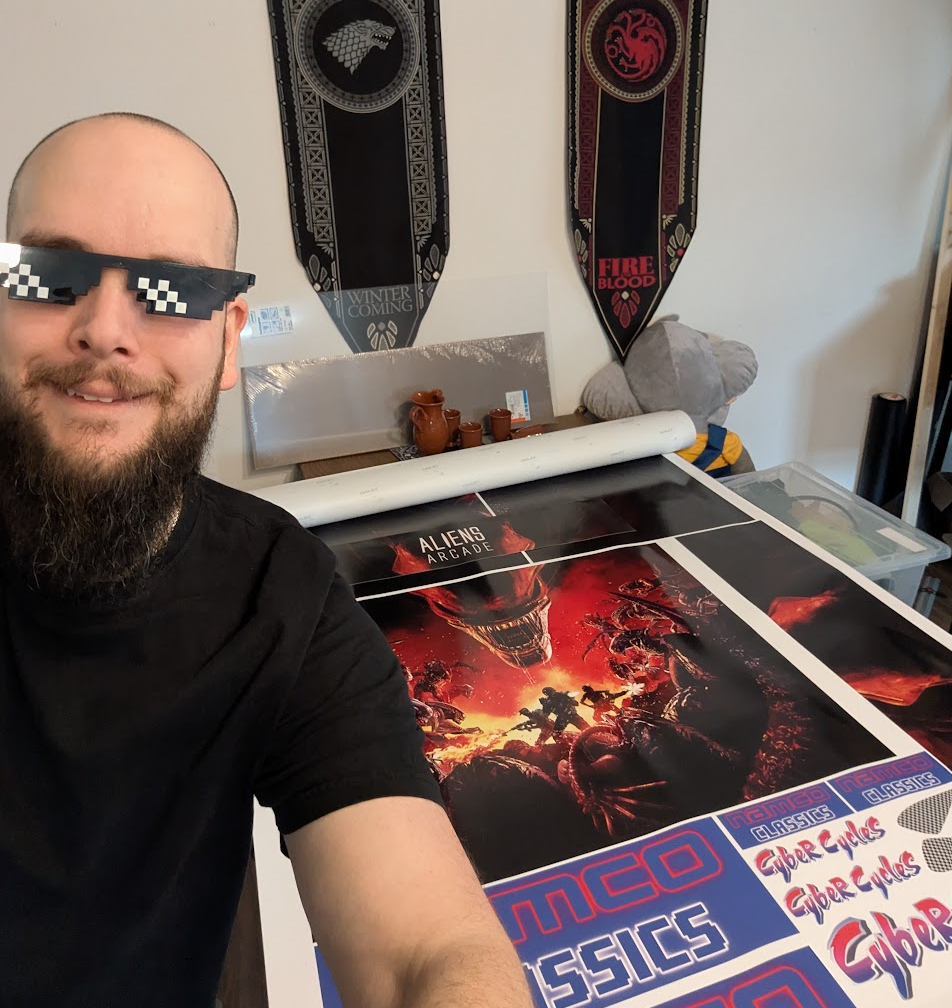
A proud Michi whose expensive decals turned out well and arrived safely.
Electronics, Lighting, PC and Peripherals
The electronics on this thing actually weren’t that hard. Sure, I wanted to install LED lighting so the thing shines at night too, and since I think addressable LED strips are cooler than normal ones, I figured I’d simply add an ESP32 with WLED and make all the LED strips addressable.
Basically you have to picture it like this: the cabinet got an IEC power inlet at the back for the 230 volts, which is then split up via a power strip inside the cabinet, and from there it goes to the PC, the TV, the power supply for the LED lighting, the ESP32 and so on. So fairly unspectacular.
Here’s a video of the first LED test:
Inside, in the end I only had to do a bit of cable management so the cables don’t fly around wildly in there and you can’t make sense of anything again, or get an electric shock when you open the box. Sometimes that worked out better, sometimes not so well… In the end, “Ah well, nobody’s going to see it anyway” does win every now and then :D
All the peripherals like the guns, gamepads and so on simply had to be connected to the PC, which, by the way, I just installed in the cabinet together with its entire case. Why? Well, because I could. For once I really had plenty of room in there. In theory I could still use the thing as a living room cupboard.
Speaking of guns: the Retroshooter Reaper guns really are great. Very high-quality build, and they feel really good too! Since modern screens, unlike old CRT TVs, are no longer compatible with the old light guns, with the Retroshooter guns you have to attach these infrared sensors to the screen. In principle the whole thing then works like this: there’s really just a camera sitting in the front of the gun, which uses the 4 sensors to calculate the distances and “where it’s looking”, and it then simply emulates a mouse for Windows. It really doesn’t get any simpler. Well, let’s put it this way: up to the point where you have to mess around with software and game emulation again, but there I have the feeling that everything is always a problem anyway.
That only left the classic arcade controls. For those I actually got “drilling templates” for the common arcade button layouts off the internet, transferred them to my panel, drilled accordingly, and installed and wired up all the buttons and joysticks. For that I simply got a matching arcade set on AliExpress.
Oh, and a few words about the marquee (that’s basically the illuminated banner at the top of arcade machines): at first I tried to make it myself out of acrylic glass and put a decal on it. That was a big mistake. With my tools, cutting acrylic glass from the hardware store properly was a disaster. So I simply had that printed at a proper print shop too, and then it looked proper as well.
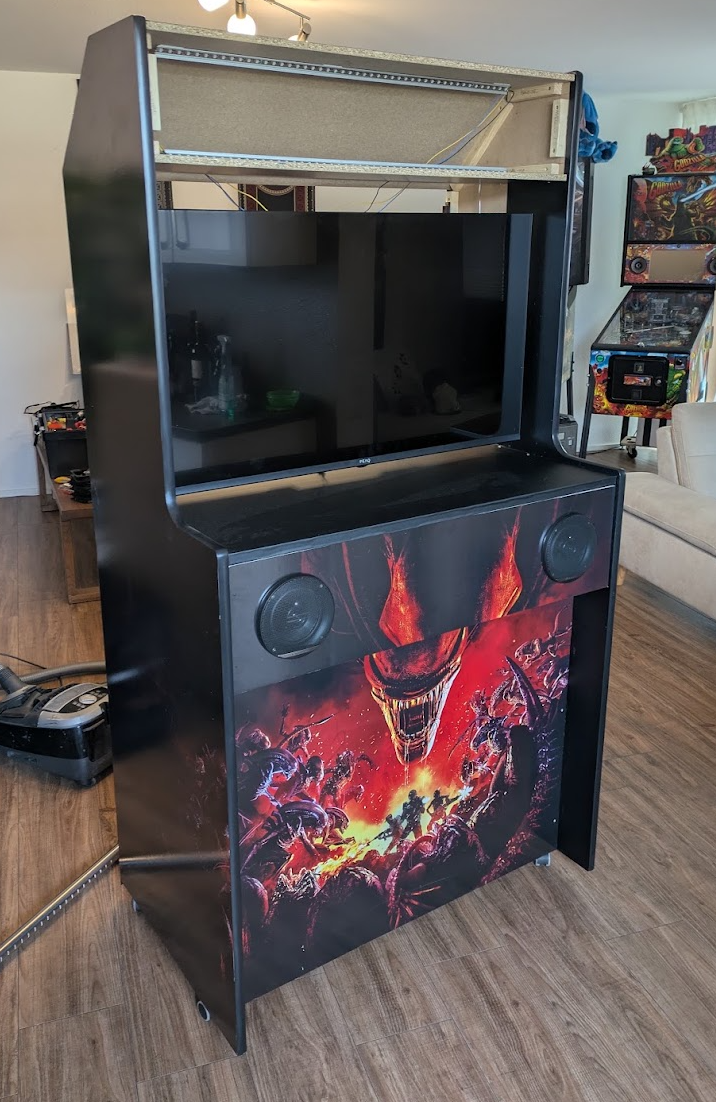
Cabinet with decals applied and the first installations such as speakers, TV etc.
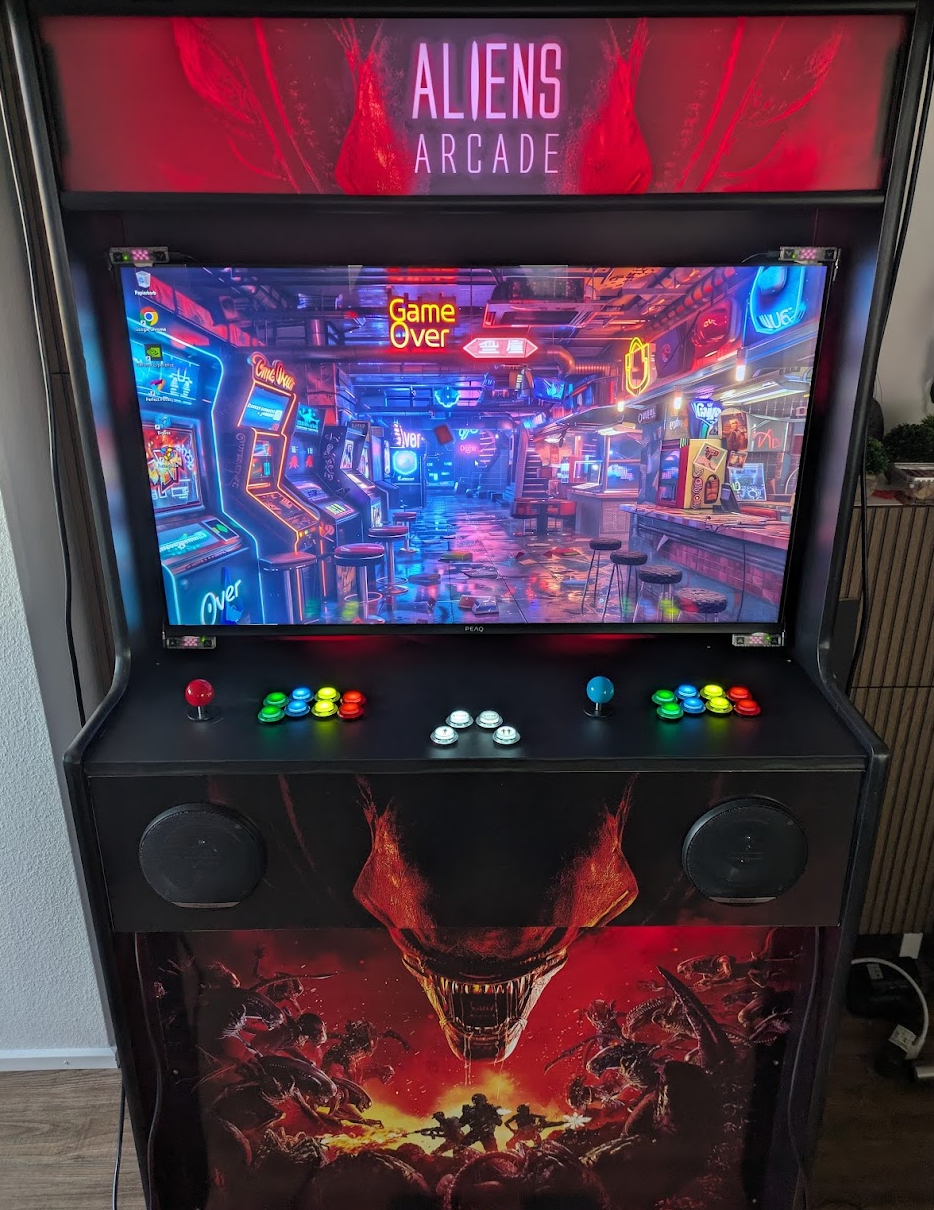
Cabinet with arcade buttons and joystick as well as the custom-printed marquee with the Aliens Arcade lettering
To be able to attach the guns to the arcade properly, I also printed mounts in ABS so that they stay sturdy. I actually bought the files on Etsy and they are awesome! Retroshooter Reaper Mounts
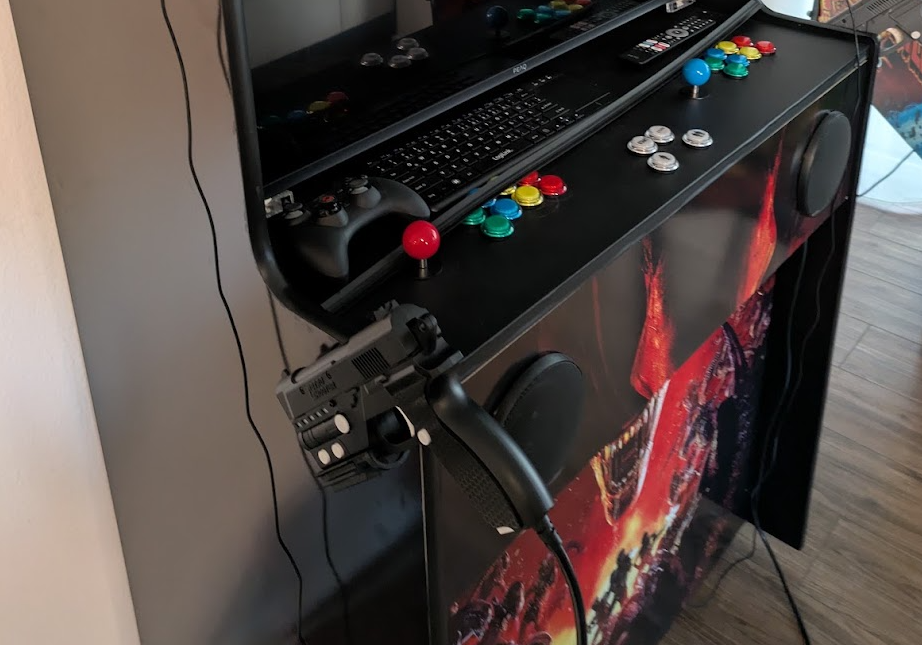
3D-printed mounts for the Retroshooter guns
Software
The PC in the cabinet runs a perfectly normal Windows 11, and as “game management” software I went with Launchbox incl. BigBox because I still had a licence for it from what feels like 100 years ago.
There are plenty of options for this by now, but I’m very happy with Launchbox. It makes it easy to also download the necessary media for all the games you install, so that everything looks good later in BigBox (that’s the frontend where you pick your game).
Where you get all the games from is of course something I can’t say anything about, because naturally I only play old arcade games on my arcade that I own myself and of which I made an original image of the ROM…
For the guns you can install a lot of additional software so that, for example, the games (which have always had output channels for various arcade hardware) can control the guns. For example, so that the recoil or the built-in rumble motor is used when you fire a shot. It depends a lot on which emulation you use as to what is compatible and what isn’t. Here are a few tools that can help:
- Demulshooter (helps with configuring the guns for various emulators etc.)
- Hook of the Reaper (for recoil control etc.)
With Mame (i.e. where all the old arcade games are emulated), setting things up with the Retroshooter guns was actually fairly painless and worked properly pretty much right away. You just have to calibrate the games individually most of the time. It gets trickier with Wii games and the like, for example.
Status & Conclusion
Completed. The arcade stands, plays and shoots. What more could you want. It’s simply a huge amount of fun to play on this thing. Not just shooter games, the other classics from the arcade are still just so much fun too… The good old days. Welcome back :)
Here are 2 more little videos :)
translated with Claude