About the Virtual Pinball Machine
- Custom-built cabinet (dimensions of a Williams/Bally widebody) (not built by me, but taken over)
- Anti-glare glass
- 43” 4K 144 Hz playfield display (iiyama G-Master Red Eagle G4380UHSU)
- 32” Full HD backbox display (VIEWSONIC VX3276-MHD 32)
- 15.8” Full HD display for the dot matrix area (I wanted a modern look like current pinball machines)
- DMD LCD display incl. panel (came with it and could be swapped in for the classic DMD look)
- Wavemaster Moody 2.1 sound system (only the subwoofer is used)
- VISATON DX 10 backbox speakers
- Original Williams coin door
- Chrome Superset pinball legs incl. cabinet protectors
- Analog and digital plunger
- 4 flipper buttons
- 4 buttons for game control
- ATEC wiper motor
- Shaker
- 2x 144-LED strips on the sides plus 7x 8x8 LED matrix and speaker lighting (all addressable)
- 10x Siemens contactors (4x standard, 6x strong)
- Pin Control 2 for the toys
- 4x Lepy LP-838 + 4x Monacor AR-50 exciters + 4x Sinus Live bassPump for SSF (Surround Sound Feedback)
- My old gaming PC with an NVIDIA RTX 2070, an AMD Ryzen 5 5600XT and 32 GB of RAM
So it basically has everything in it that you can possibly put in, and that really was quite a challenge!
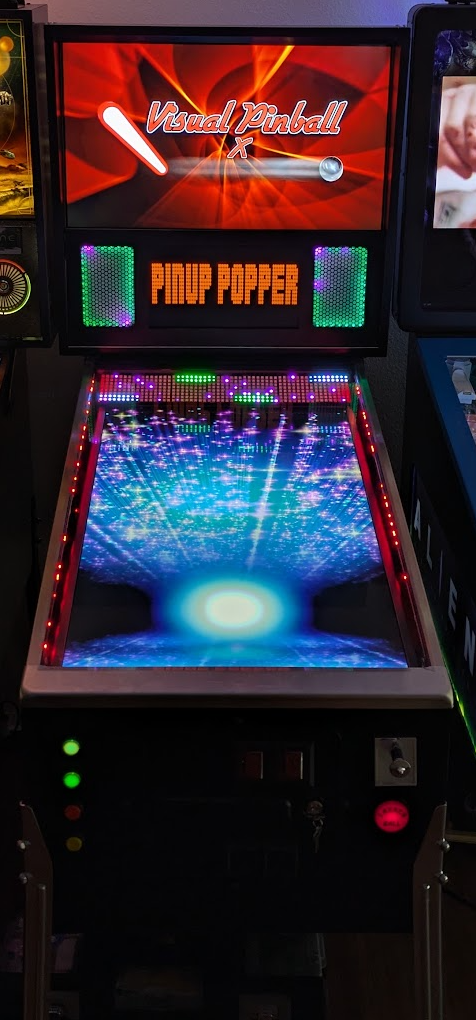
The VPIN as it looks today.
Project Scope
Cabinet
As mentioned, not much had to be done on the cabinet, since my predecessor had already done very professional work here. I installed additional boards in the cabinet to mount all the contactors on, because I needed the space on the sides for SSF, and I added a playfield holder.
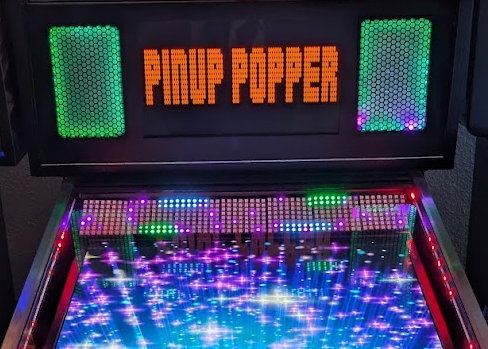
Originally the machine was equipped with a classic dot matrix display (although as an LCD) including a panel, but I wanted to install a modern 15.8” LCD. For this I had to saw, mill and paint a panel myself and install the display.
The panel then received the 15.8” display as well as Stern-like 3D-printed speaker grilles incl. addressable LED strips.
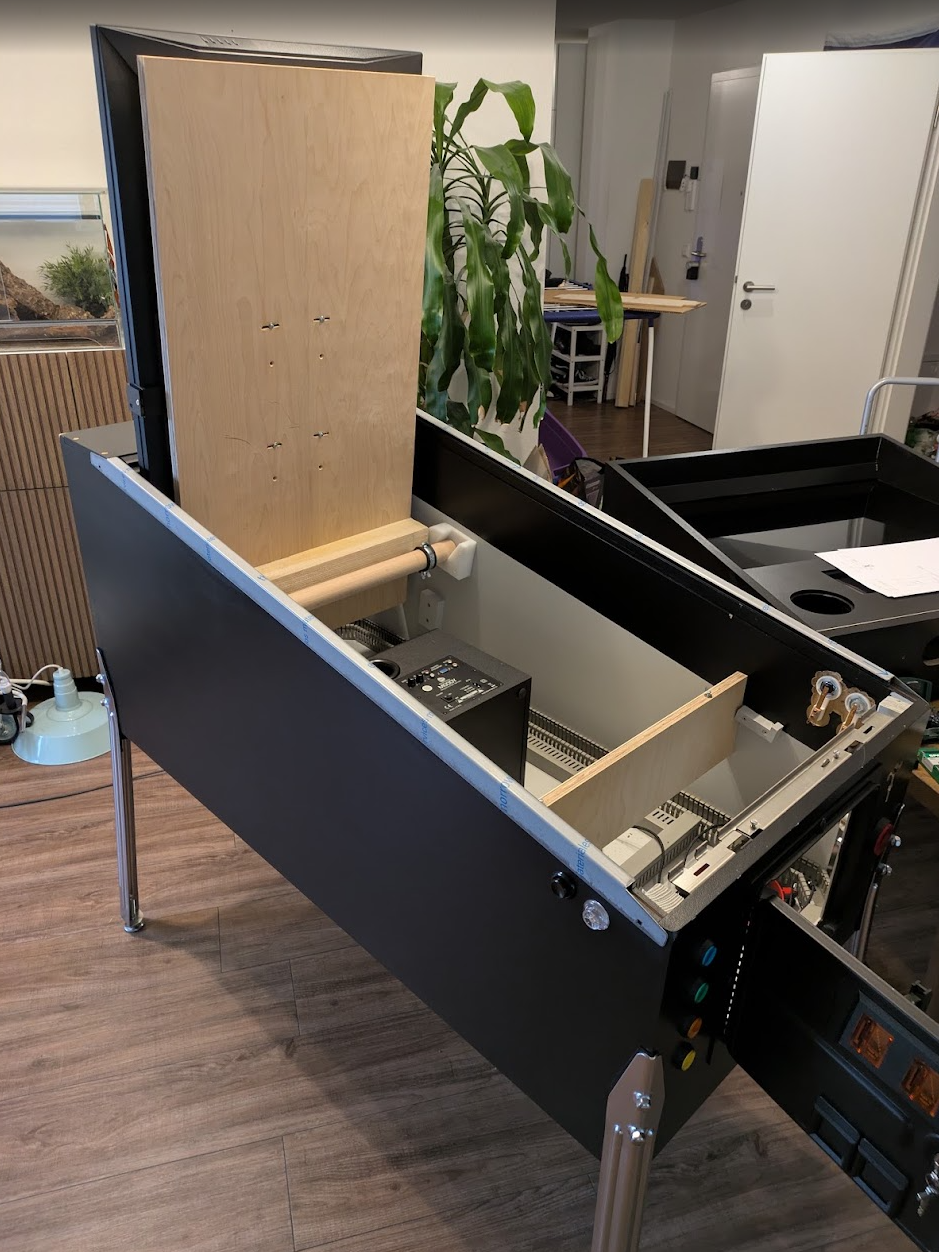
Cabinet with the first additional boards for the contactors and toys
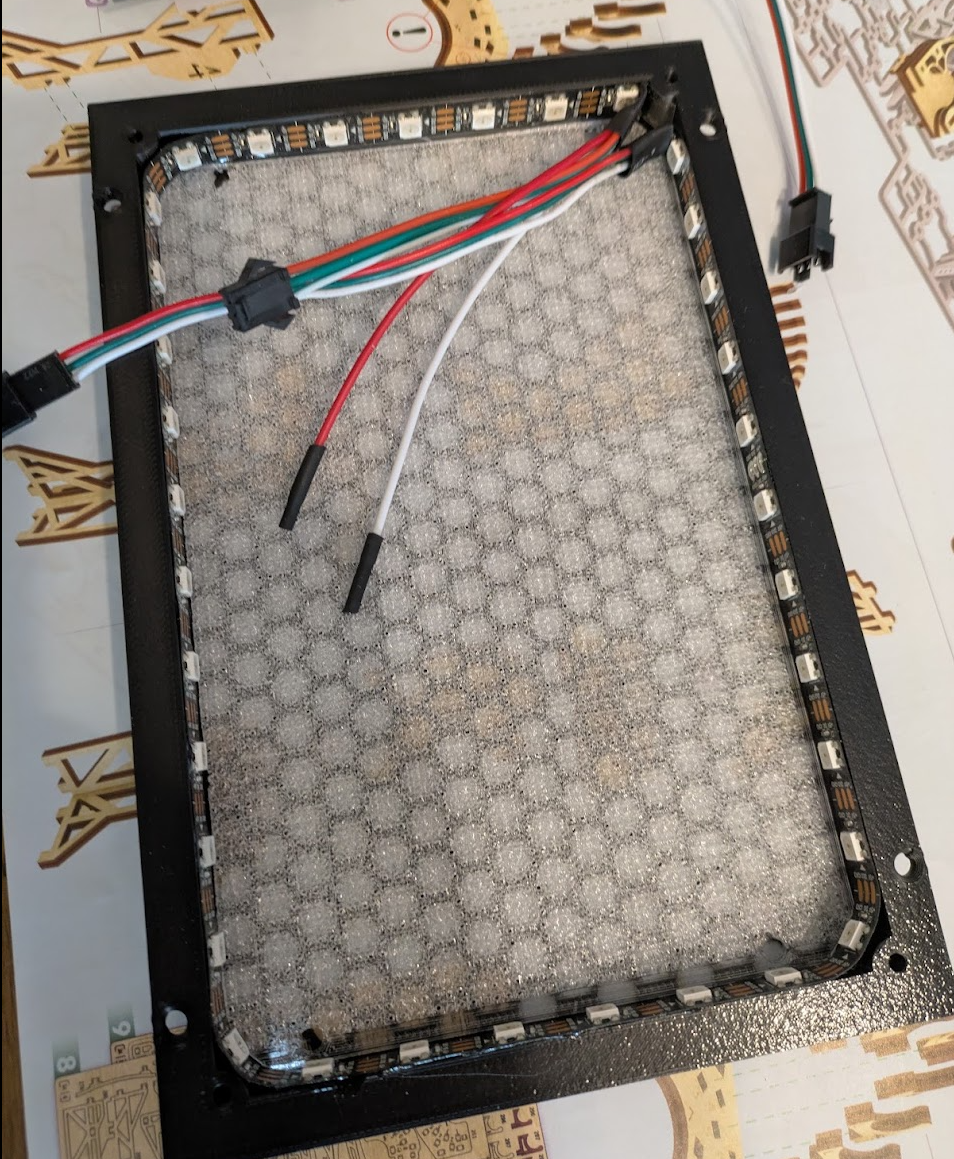
Stern-like 3D-printed speaker grille with addressable lighting
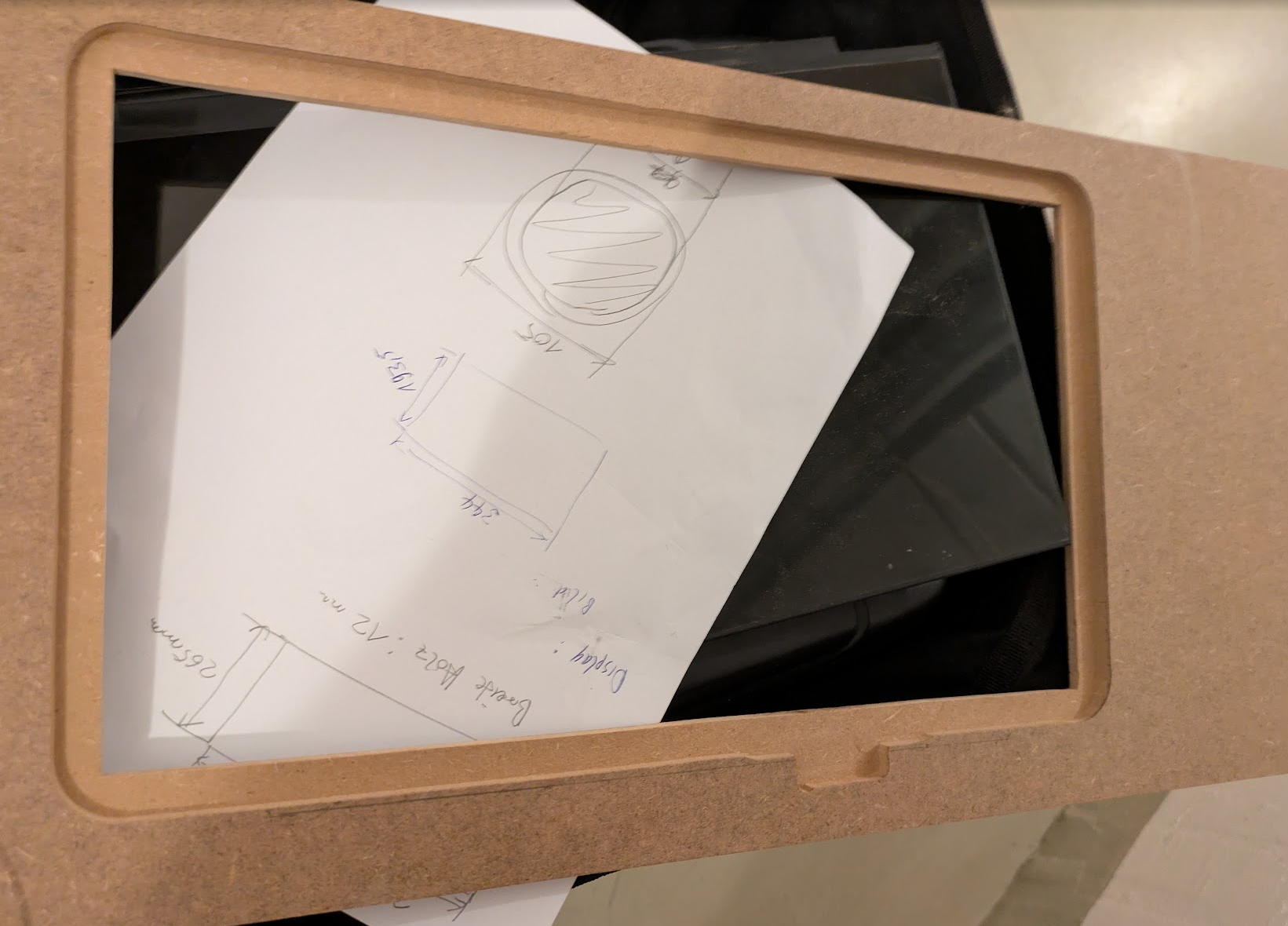
The panel for the speakers and the 15.8 inch display
Electronics
For the electronics, the following switching power supplies were used to begin with:
- 24 V switching power supply for the contactors
- 2x 12 V for toys and other 12 V components (sound etc. — hence two separate circuits, to avoid interference from toys like the shaker)
- 2x 5 V for the addressable LEDs — 5 V LEDs can draw a lot of current, which is why I decided to split the load
For this I placed a DIN rail in the rear part of the cabinet and used terminal blocks there to distribute the incoming 230 V into phase, neutral and earth, as well as to a power strip for the PC components.
Of course every metal part in the machine, such as the legs, got a connection to earth.
This is also where the first problem showed up: switching power supplies can produce extremely high inrush currents when first switched on, which is why the circuit breaker in my apartment tripped regularly. To solve this I installed a time-delay relay and a regular load relay on the DIN rail, so that some of the power supplies switch on with a delay after the others (the dirty 12 V, one 5 V LED and one 12 V power supply). The reason the time-delay relay switches the load relay, which in turn switches on the power supplies, is simple: it prevents the contacts of the time-delay relay from welding shut if a power supply produces too high an inrush current.
I fitted the wiring from the power supplies to the respective consumers with fuse holders for regular automotive fuses and continued from there to the actual consumers.
The wiring was one of the things that cost me the most time, since I made up every single cable myself and fitted them with cable lugs/ferrules, as it should be done.
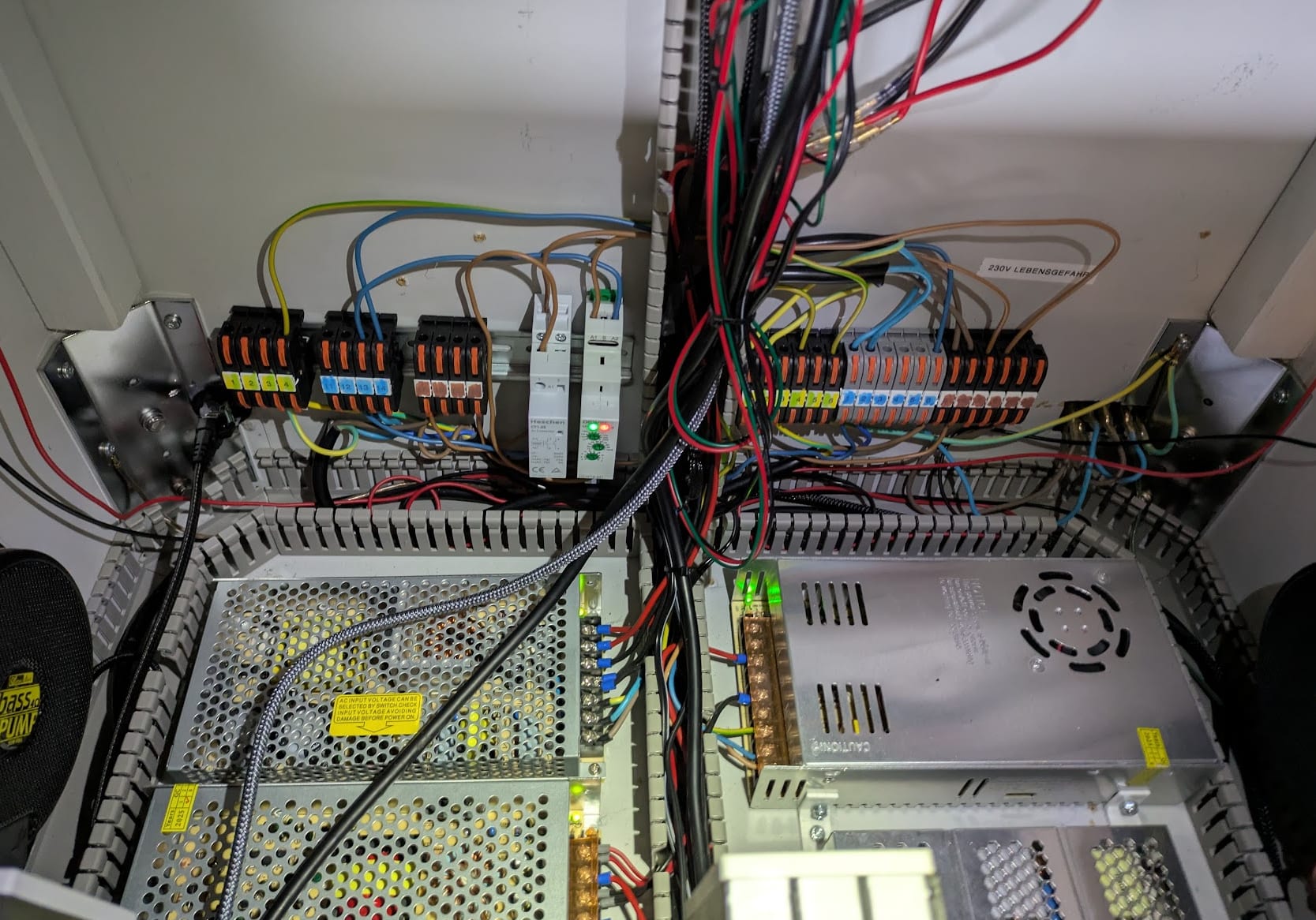
Switching power supplies and 230 V power distribution (incl. the relay circuit mentioned above)
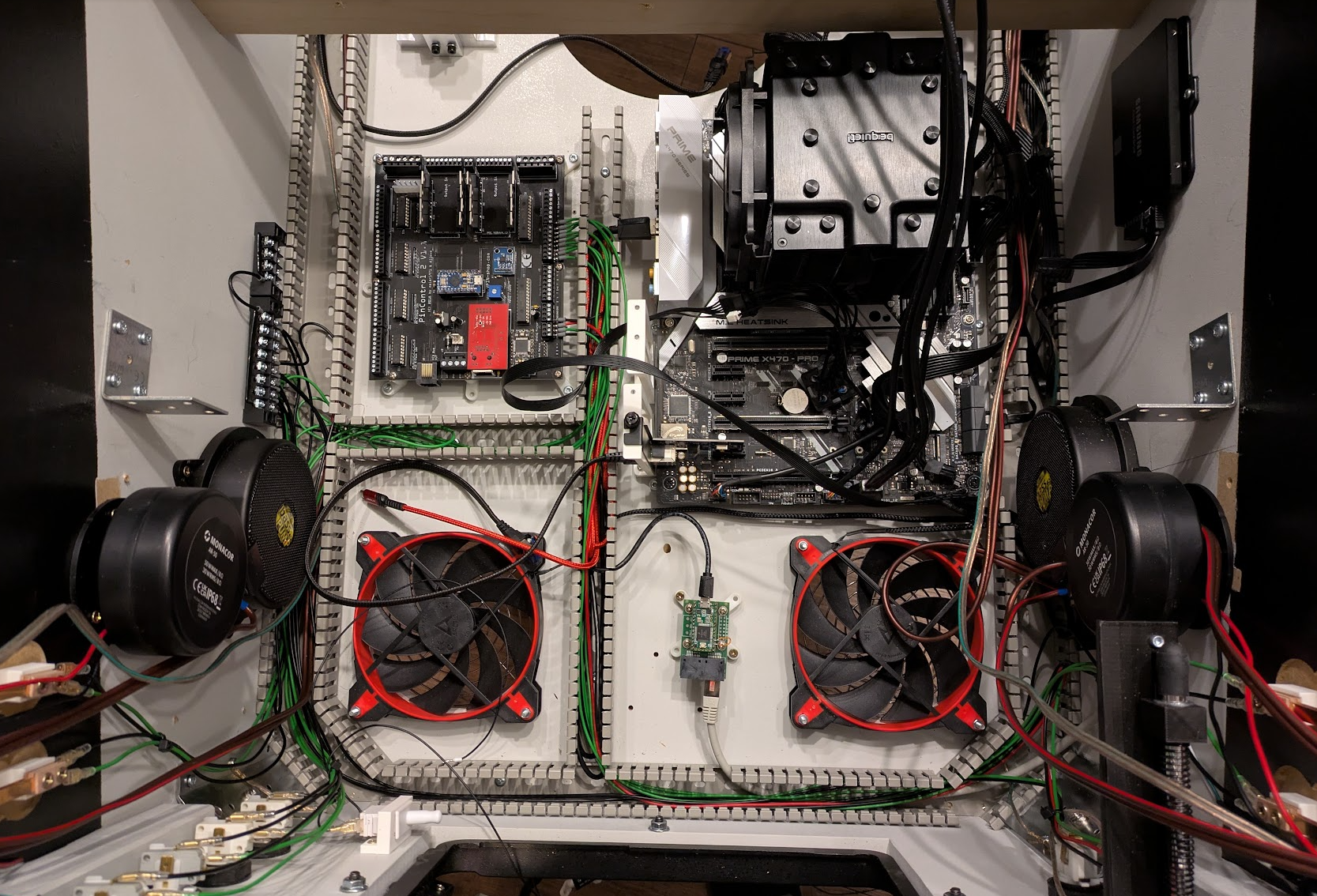
Wiring and first components in the front part of the pin (on the left wall you can see the low-voltage sub-distribution (ground))
Toys
As already mentioned, a number of toys were installed in the VPIN, for example:
10 Siemens contactors driven with 24 V. These contactors are meant to simulate the “clacking” and pulling-in of coils in real pinball machines. Just like real coils, the contactors have to be fitted with diodes so that no back EMF can occur after they pull in. In the end, the contactors contain nothing but coils, i.e. electromagnets.
A wiper motor was installed, which kicks in whenever motors would be driven on a real pinball machine. It basically spins “into nothing”, simply to simulate the feeling (sound and vibration on the cabinet) of a motor.
A shaker was installed to make the entire cabinet vibrate, just like in real pinball machines. A housing was also 3D printed for the shaker so that no cables can get caught in it.
Driving the toys requires a separate board, which has to be connected to the PC via USB and network. There are various options here. My VPIN uses a Pincontrol 2 from vpin-shop.
And last but not least, I absolutely wanted SSF (Surround Sound Feedback) in the machine. For this, so-called exciters and bass pumps are installed at the front and at the back of the cabinet. They are driven like speakers, but their purpose is to transfer vibrations to the cabinet. With such a configuration, software like Visual Pinball X (you basically control this via the 7.1 outputs of the sound card) can simulate the ball rolling, and it feels (and sounds) as if a real ball were rolling across the playfield. This is a truly crazy effect and works surprisingly well! SSF can be installed in various configurations. I went for the maximum variant with 4 exciters and 4 bass pumps.
Traditionally, small 2.1 amplifiers from China are used to drive them. In my case the popular and proven Lepy LP-838 from AliExpress ;)
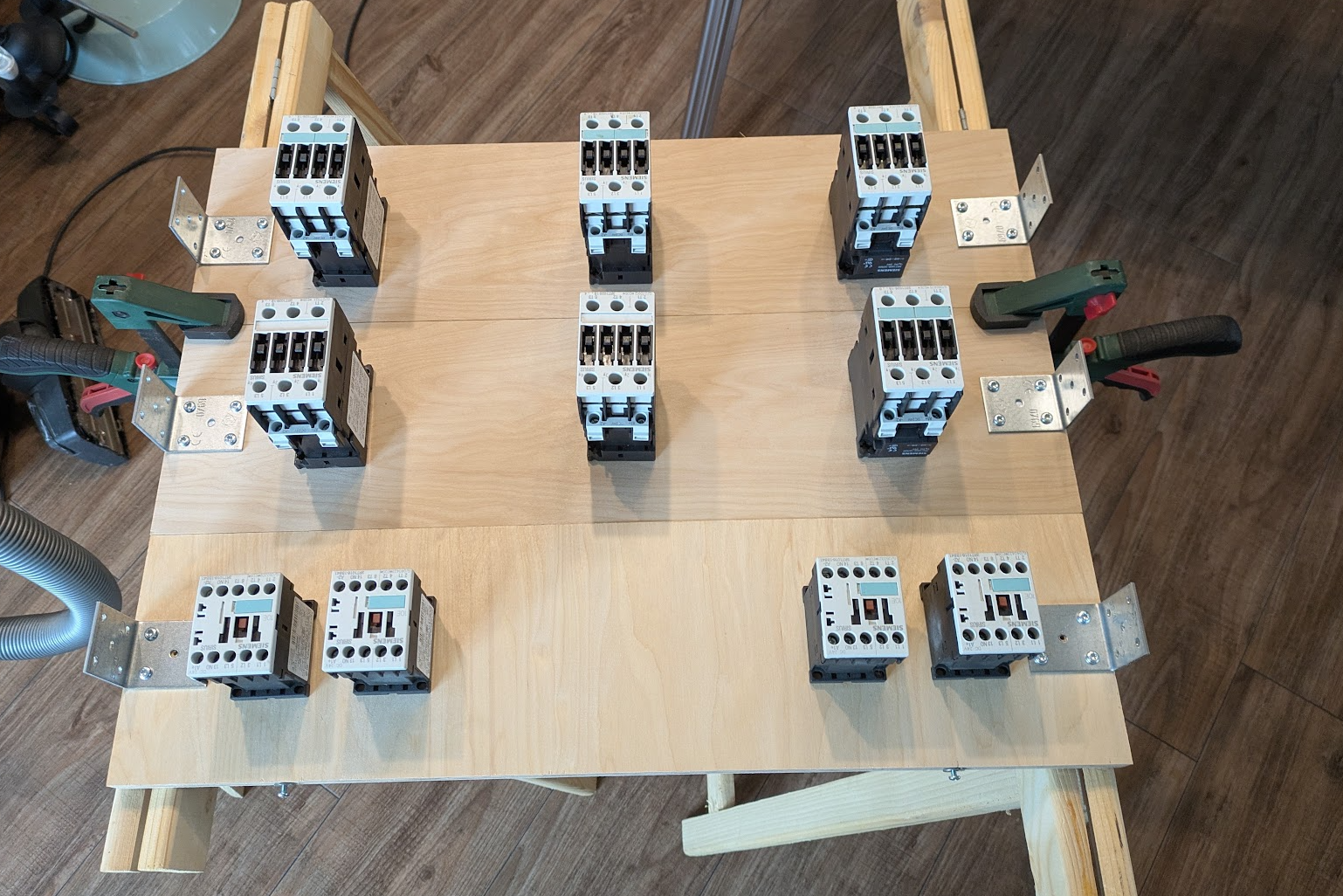
The 10 Siemens contactors (large ones for e.g. bumpers and smaller ones for flippers and slingshots)
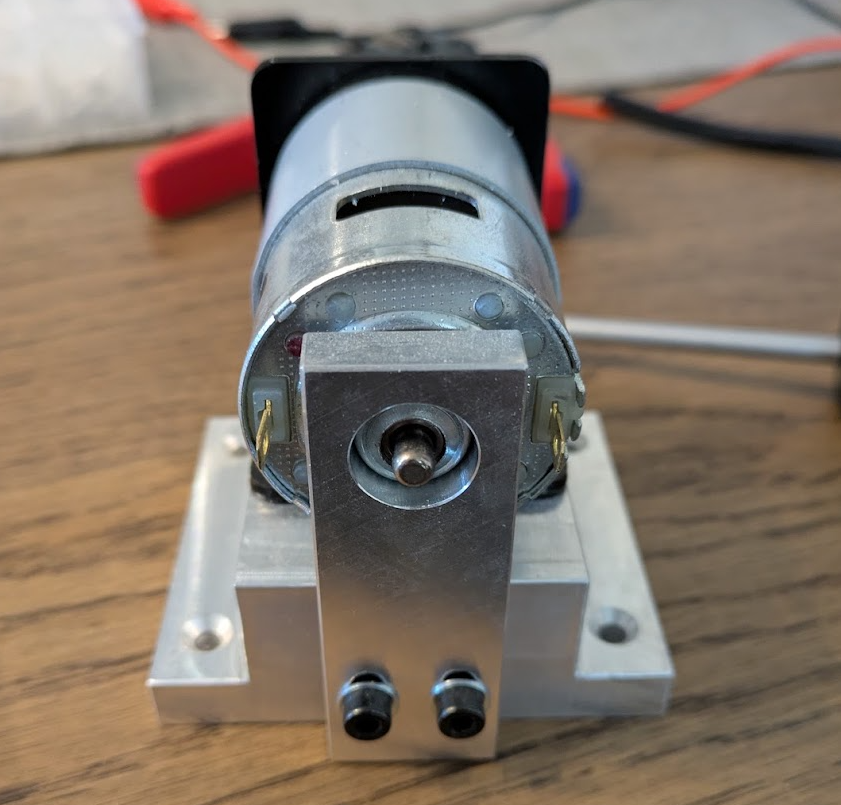
The installed shaker
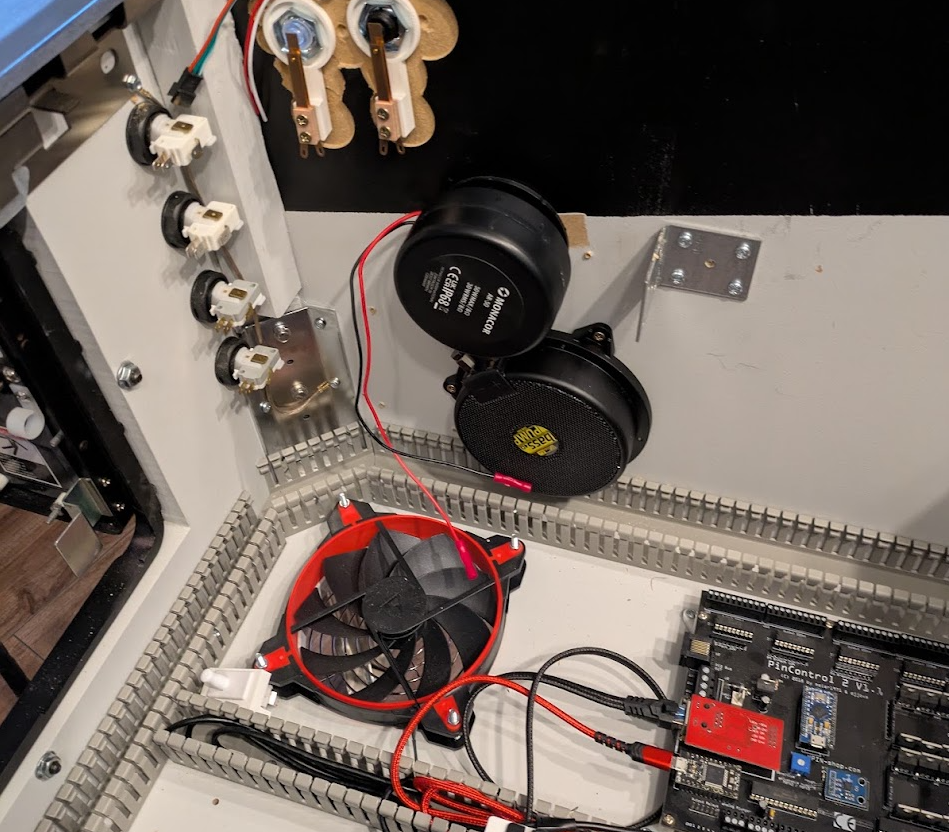
An exciter and the corresponding bass pump
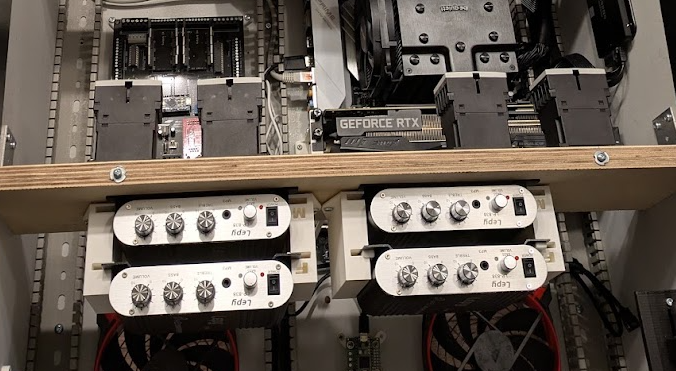
Here you can see the 4 Lepys driving SSF and the 4 Siemens contactors for flippers and slingshots
Lighting
Several LED strips and an LED matrix were installed in the machine. In total that adds up to 806 LEDs!!!
The LED strips simply give the whole game an even more physical touch, if you can call it that. It just makes a huge difference when things are flashing and blinking away from the screen as well.
The LEDs are driven by a so-called Teensy: a board that is connected to the PC via USB and has 2 network ports. The network cables, however, are “misused” to carry the control signal for addressable LED strips over the several wires available in such a cable.
In my case I only needed a single wire, since I connected all my strips and the matrix in series one after another (only the control signal — as mentioned, the strips were split across 2 circuits power-wise because of the load).
The control signal runs as follows:
- Starting at the front right, when standing in front of the machine, into the first 144-LED strip towards the back in the direction of the backbox
- to the first speaker light on the right
- to the second speaker light on the left
- then on the right into the LED matrix and through the 7 matrix elements
- and finally from the back left to the front left through the second 144-LED strip, from the backbox back to the front.
Together with Visual Pinball X this results in really great effects.
For the speaker lighting, I printed a fine mesh in transparent PLA behind the speaker grilles, so that the LED strips behind it light up the grille and more or less the entire surface glows. That looks pretty cool.
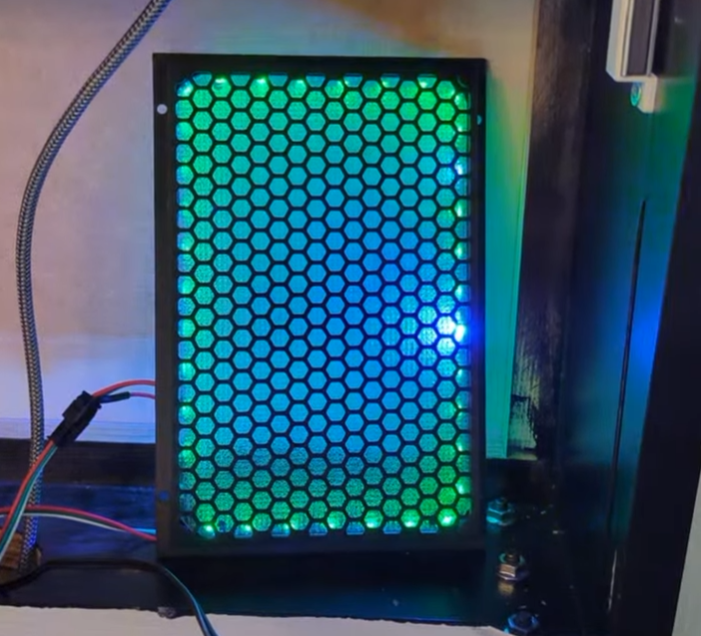
The speaker lighting with mesh
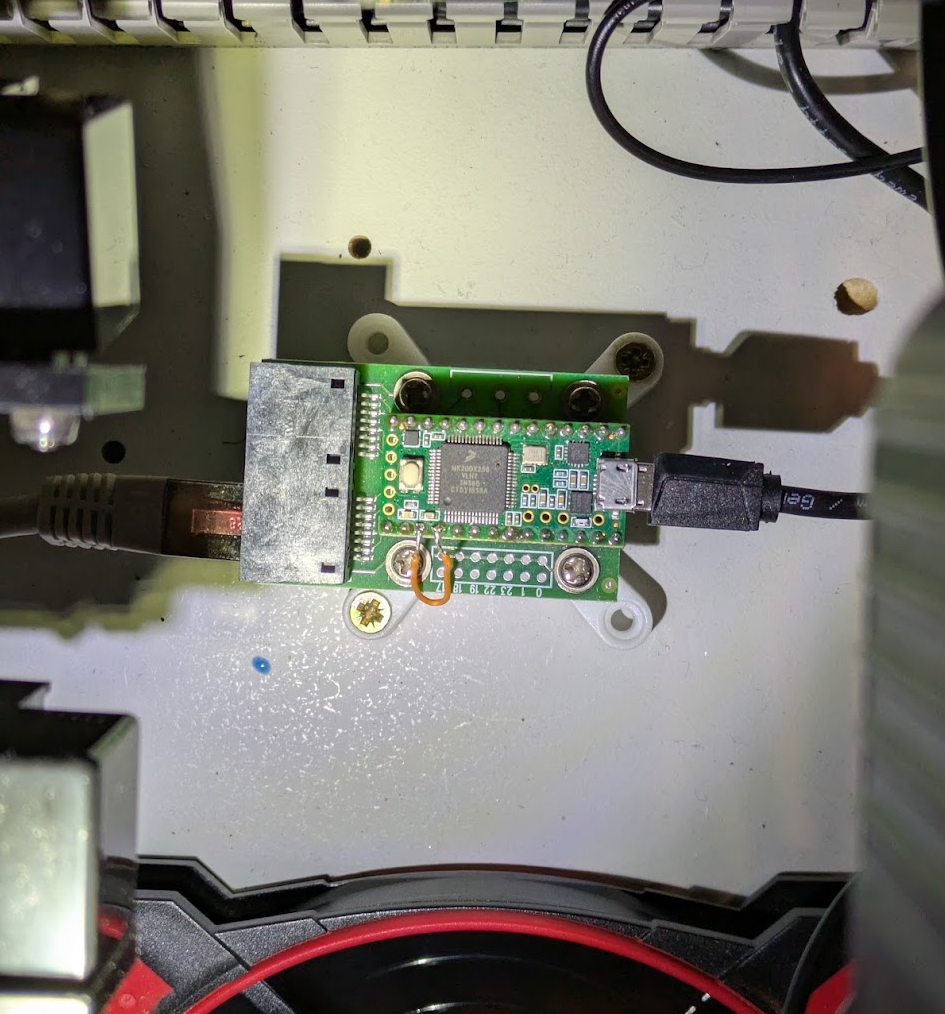
Teensy for driving addressable LED strips
Detail of the complete LED lighting
Software
As a software developer, I have to admit that by now the software part is what annoys me most in build projects like this. Wood and electronics work is usually so nicely straightforward, and the software part is just annoying… But oh well.
The PC in the machine runs a perfectly normal Windows 10 (yes, Windows 10, because my old hardware unfortunately doesn’t support Windows 11 and I wasn’t willing to buy yet another mainboard after I had already upgraded the processor a bit, since the old AMD Ryzen (1st generation) would have been a little too weak for VPX in 4K).
I then installed Visual Pinball X incl. Pinup Popper (that’s the fun “selection menu” where you pick your tables before launching them) and downloaded and installed the first tables from the internet. When you launch the tables, you still have to configure a whole bunch of stuff like angles etc. That makes sense, since not every VPIN is built exactly like mine. SSF has to be set up, and so on. I don’t really want to write a detailed guide here, since there is plenty of information online about setting up VPX, SSF etc. Besides, I can say from experience that current large language models like ChatGPT, Gemini or Claude know pretty exactly what to do here and can be a great help when problems come up.
I think installing and setting up tables is among the biggest chunks of work once you’ve actually built a VPIN like this. If anyone wants more detailed info, feel free to contact me anytime.
Status & Conclusion
Completed. Although theoretically there would probably always be something left to do: improving the cable management, installing covers for the LEDs or applying decals to the cabinet, etc.
My conclusion, however: I don’t play on the thing. Playing is fun and it comes close to a real pinball machine, but it simply isn’t a real pinball machine, and I do prefer the real ones. Still, building the VPIN was a lot of fun and once again I learned a lot along the way.
If you want to build a VPIN yourself and have questions, feel free to get in touch and I’ll try to help as best I can.
Here’s a video:
translated with Claude